May 2026 Product Update
This month focuses on improving document accessibility and workspace organisation. Updates include a centralised Files tab, form filtering across workspaces, customisable template pinning, and enhanced custom fields.
This month is about giving you a complete picture: fewer places to look, less jumping between screens, and more control over how your team works in BNDRY every day.
Every document, one place, no more hunting
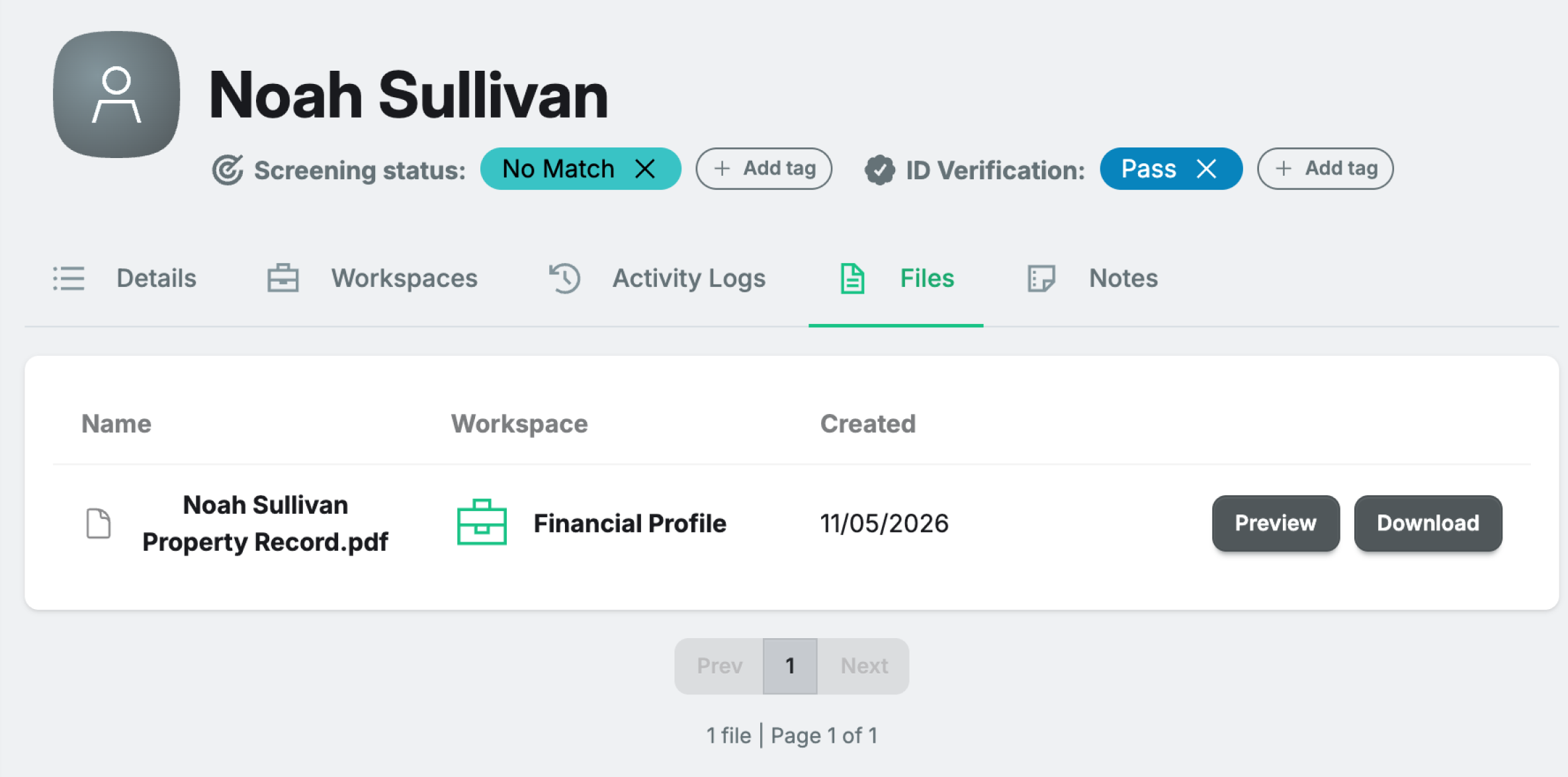
Finding a document uploaded three months ago used to mean digging through individual Workspaces, scrolling the Activity Log, and hoping you remembered which process it was attached to. The Files tab on every Entity profile now pulls everything together. Documents from Workspaces, UARs, ECDD, and custom activities all appear in one list, with a clear label showing where each one came from.
Find all your forms, across all your Workspaces with one easy filter
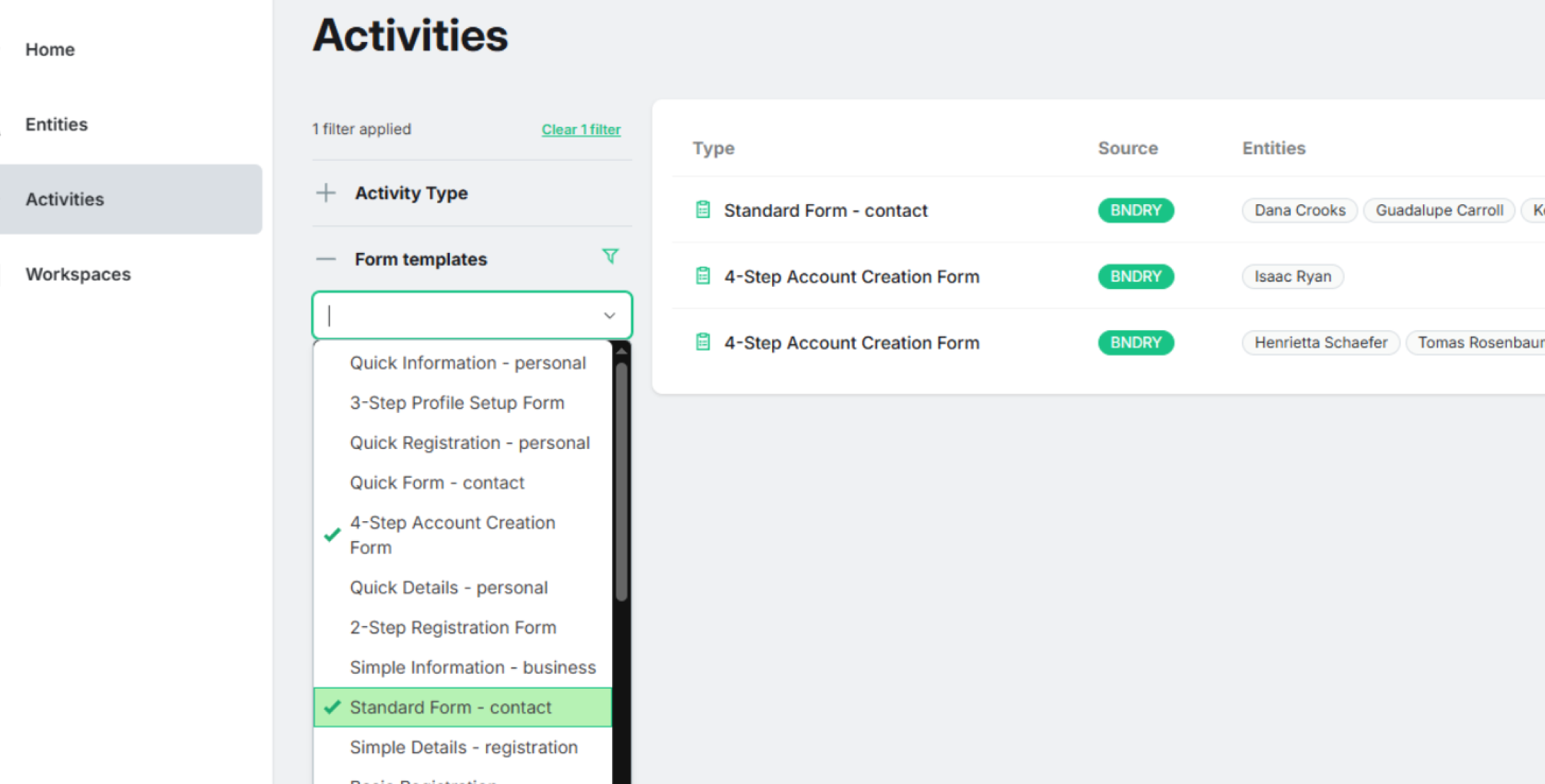
BNDRY Workspaces are great for running end-to-end compliance processes that stitch multiple forms together. Previously, finding individual forms meant remembering which Workspace contained them. Now, you can filter for Form Templates in Activities to identify the individual forms you’ve worked on.
Your most-used Workspace, right where you need it
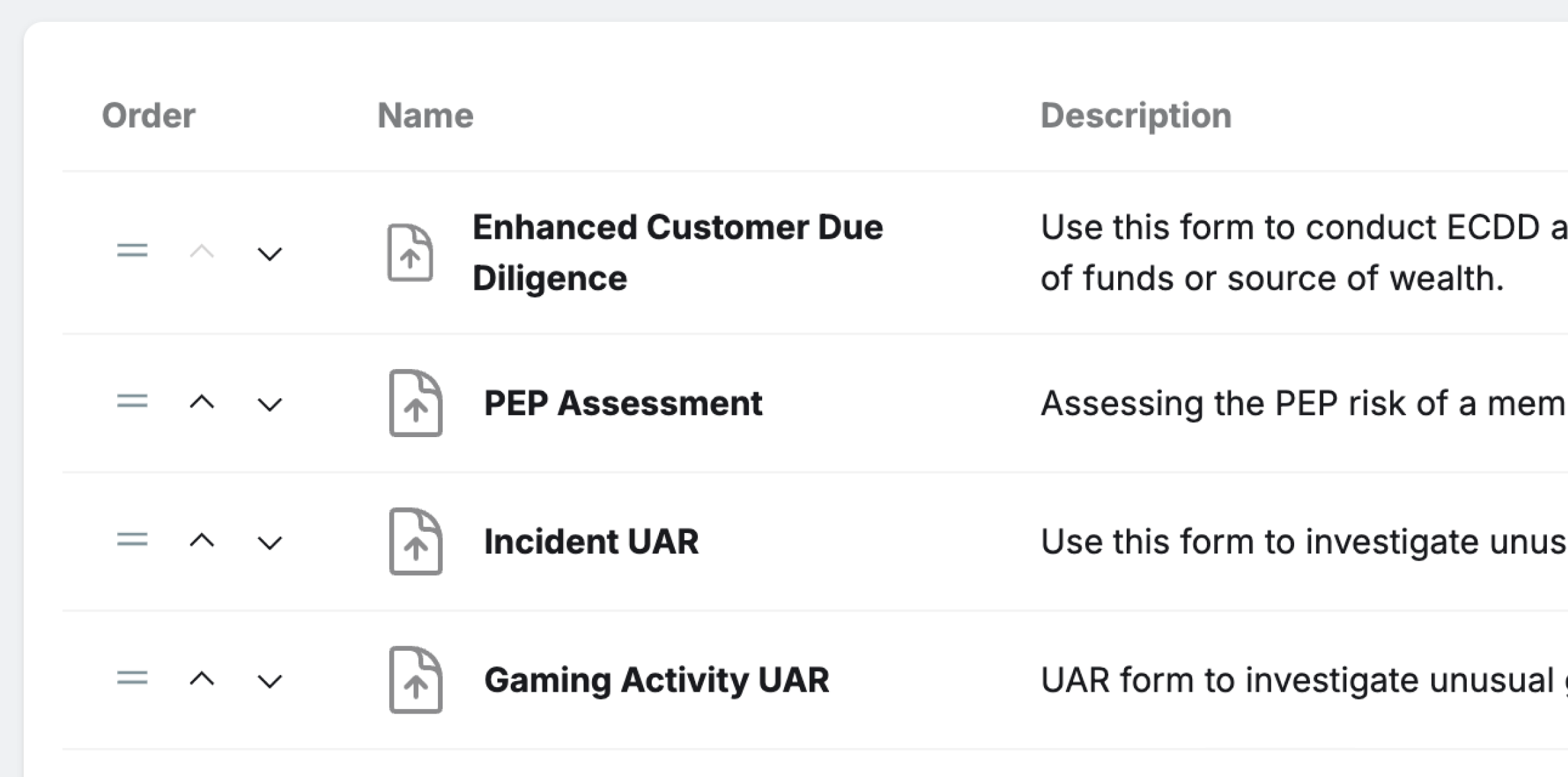
Admins can now pin and reorder templates so the Workspaces your team uses every day are prominently displayed, rather than buried behind navigation options.
Custom Fields: now with file uploads and repeating groups
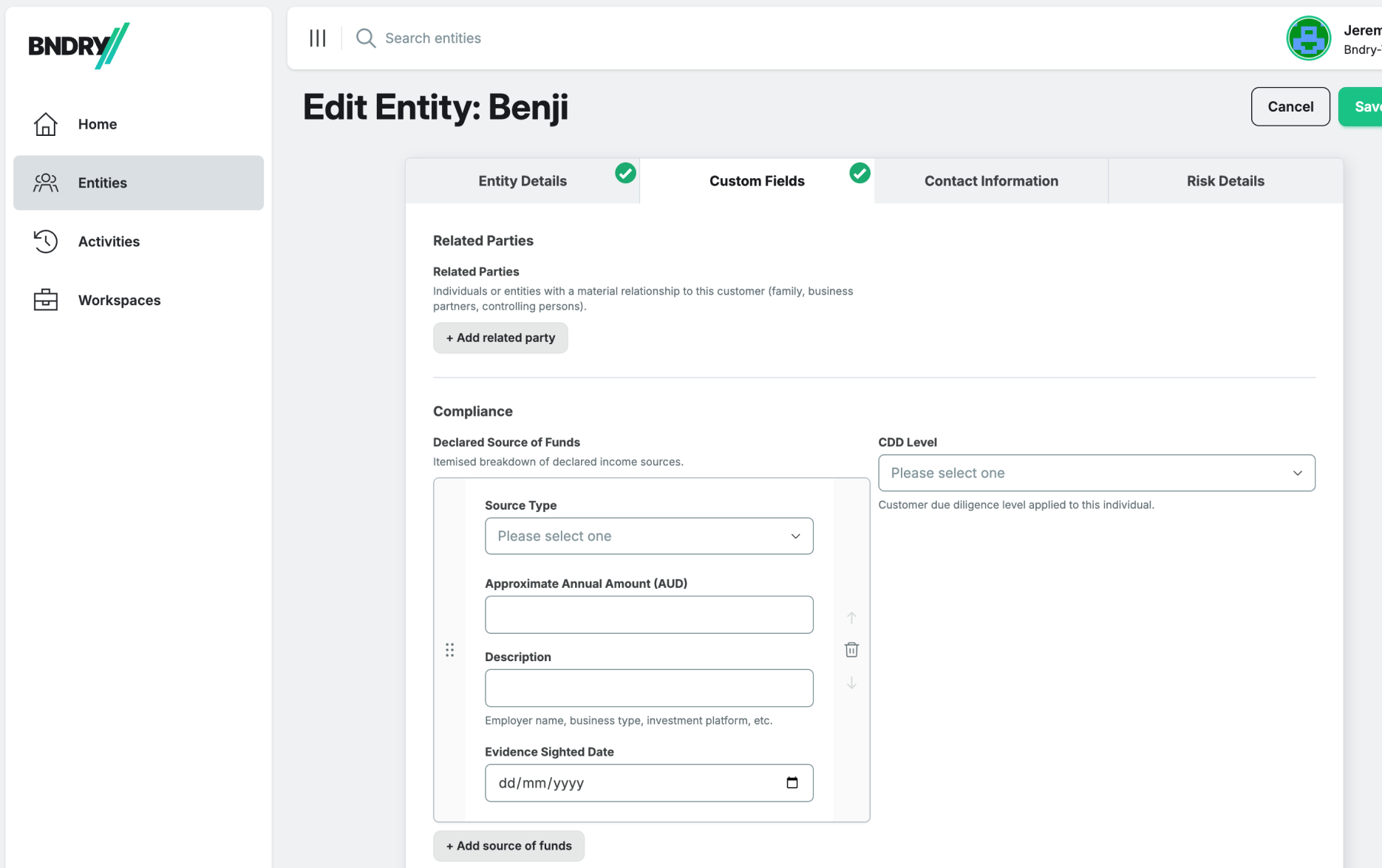
File upload fields can now be included directly in Custom Fields schemas. Additionally, repeating groups allow multiple instances of defined groups like “Key Contacts” or “Beneficial Owners.” Both features work via the API.
Filter and sort on Workspaces to make your work easier to find
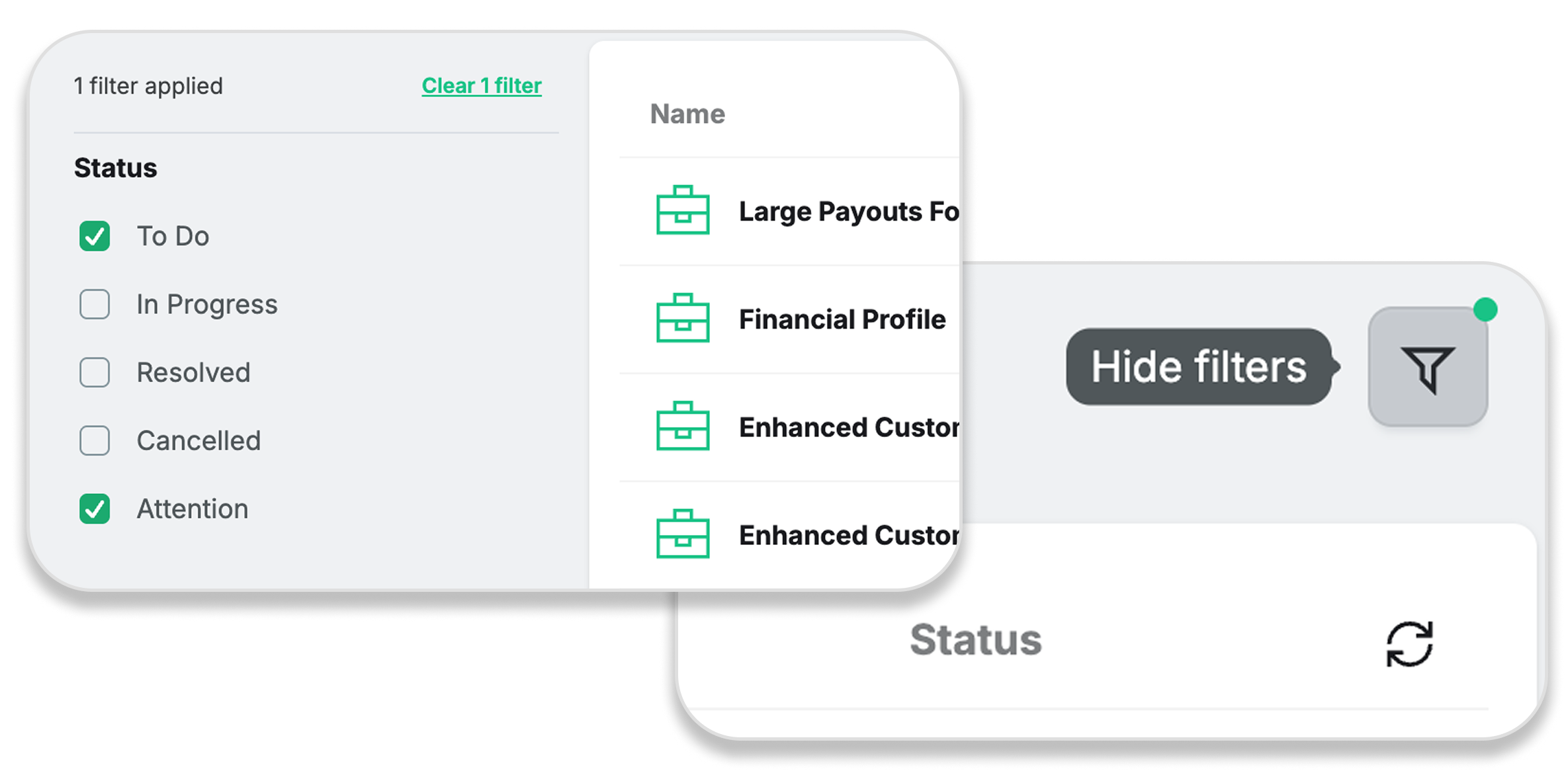
The Workspace List now features multi-status filtering and sorting by status and name. Filter settings persist when navigating between views, and all views include a filter toggle for full-width table viewing.